Complete guide
Wedding photo sharing with guests: the complete guide
Updated 29 August 2026 · 4 min read
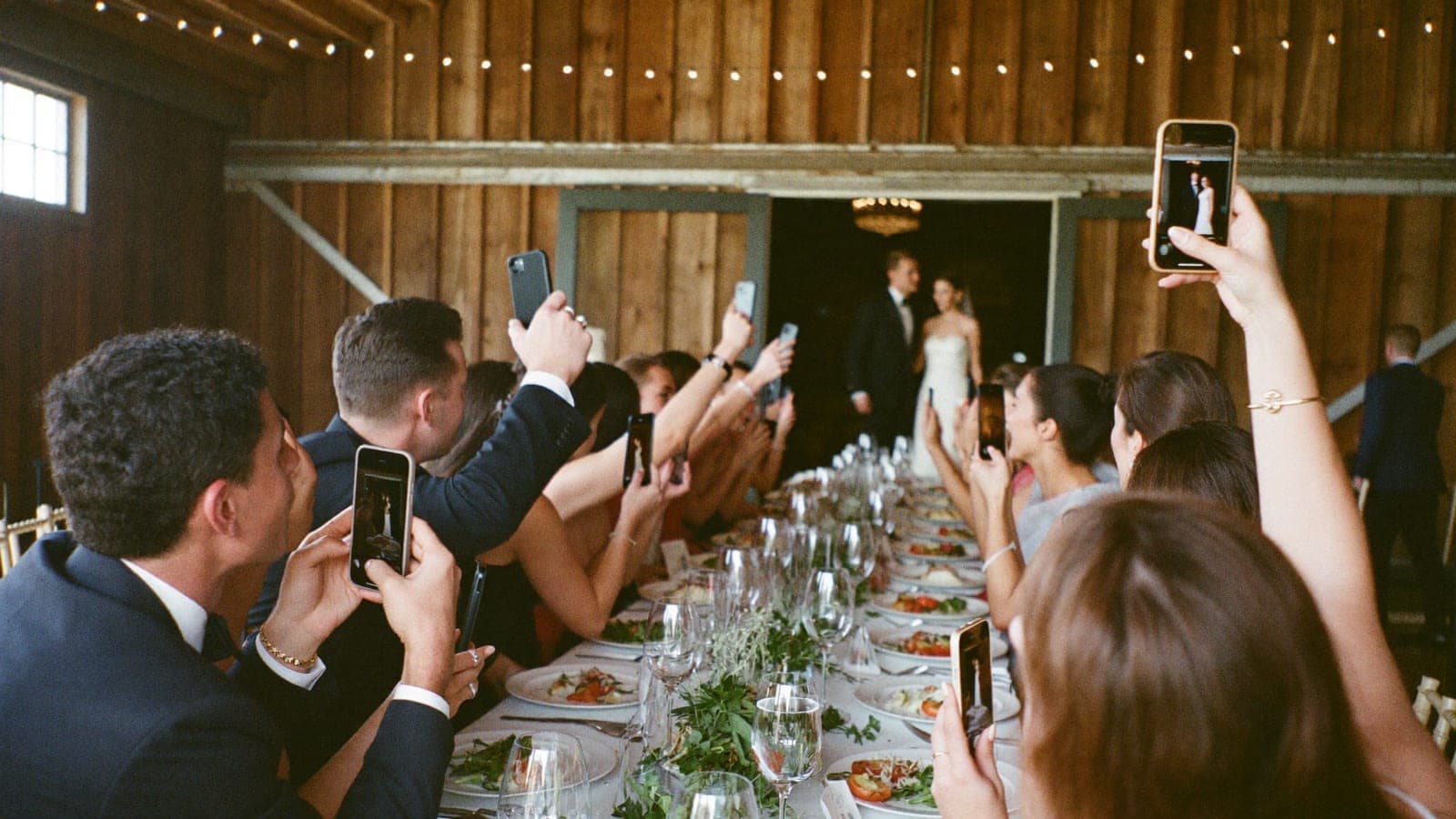
Your photographer captures the big moments. But your gran wiping her eyes during the vows, the faces on the dance floor at half eleven, that one moment at the bar: those are on your guests' phones. Between them, wedding guests take hundreds of photos and videos. Without a plan, you'll see almost none of them, trickling in over WhatsApp weeks later.
This guide covers how to make sure all of it reaches you: which methods actually work, what to say to your guests, and how to set it up so even the least technical people join in.
Why guest photos matter
A wedding photographer is worth every penny, but it is one person with one camera. Your guests are everywhere at once: at the house during the morning prep, at every table during dinner, in the middle of the dance floor. They catch what your photographer physically cannot see, and they shoot from the perspective of friends and family rather than a professional.
The combination is what makes an album complete. Professional shots for the wall, guest photos for the real story of the day.
The methods, compared
There are roughly seven ways to collect wedding photos from guests, from a WhatsApp group to a shared album to a QR code album. We compare all of them, with an honest verdict for each situation, in 7 ways to collect wedding photos from your guests.
The short version: methods that require action after the wedding (emailing, uploading to a link they have to find) barely work. Methods that work on the day, with no barrier, collect the most. That is why the QR code photo album has become the standard in a few short years. How it works is covered in QR code wedding photo album: how does it work?
Still tempted by disposable cameras on the tables? Lovely idea, but the maths is worse than most couples expect. We run the numbers in Disposable cameras at your wedding: charming or a false economy?
Step 1: remove every barrier
The golden rule: each extra step halves your response. Downloading an app, creating an account, typing in a code. People drop off at every one of those, especially on a day when nobody feels like faffing about with their phone.
In practice that means:
- One central place where everything lands, not several channels
- No app and no account for guests
- Uploading has to be possible on the day itself, in the moment
- Your least digital guests have to be able to manage it
Step 2: tell your guests what you want
Guests are happy to share their photos, but only if you ask and make it easy. That starts with the invitation and ends with a friendly nudge the day after. Ready-to-use wording for every moment is in How to ask guests to share their photos.
The single biggest source of uploads is the table card. Guests are seated, phone within reach, and the QR code is right in front of them.
Step 3: make it fun
Collecting photos does not have to feel like admin. Give guests photo challenges ("take a selfie with someone you met today") and the creativity looks after itself. Even better: show the incoming photos live on a screen during the party. Nothing is as contagious as seeing your own photo appear on the wall two minutes after uploading it.
Step 4: sort out privacy properly
Hundreds of photos of all your guests means thinking about who gets to see what. Under UK and EU GDPR, photos taken and shared within your own circle are treated very differently from photos published openly online. A private album solves nearly every issue before it arises.
Practical rule: keep everything in a private album, and add one line to your invitation asking guests to check before posting anything publicly. Especially with children in the frame.
The complete timeline
- 8+ weeks before: choose your method and set up your album
- 6 weeks before: add a line about sharing photos to your invitation or wedding website
- 2 weeks before: print QR table cards and any photo challenge cards
- On the day: cards on the tables, QR at the entrance, live slideshow during the party, and one mention from whoever is running the day
- The day after: send a thank you with the album link. Most uploads arrive in the first 48 hours
- After that: download everything in full quality and back it up in two places
Frequently asked
Do guests actually do it?
Yes, provided the barrier is low. At weddings using a QR album with no app requirement, the majority of guests take part. The best results come from weddings that run the live slideshow and have someone mention it once.
What does a QR photo album cost?
Pixavo starts at €59, one payment, no subscription. For comparison: ten disposable cameras plus developing easily costs double that, for 270 photos with no guarantee.
Can I do it for free?
Partly. A shared album in Google Photos or a WhatsApp group costs nothing, but compresses your photos and videos and asks more of your guests. Why that disappoints in practice is covered in the comparison of all methods.
Get your album ready
Pixavo does exactly this: one QR code, no app, and every photo and video from your guests in one living album that fills up during your wedding. Even your gran can manage it. And if your album stays empty, you get your money back.
See how it works or create your album in five minutes.
Get your album ready
One QR code, no app, and every photo and video from your guests in one living album.
Read next
QR code wedding photo album: how does it work?
With a QR code photo album your wedding guests upload all their photos to one place, no app needed. How it works, what it costs, what to look for.
4 min read
7 ways to collect wedding photos from your guests
WhatsApp, shared album, WeTransfer, disposable camera or QR album? The 7 ways to collect wedding photos from your guests, honestly compared.
5 min read
How to ask guests to share their photos
Wording that actually works: what to put on your invitation, table cards, in the speech and in the thank you message after the wedding.
4 min read